
DINO NET
[슈팅 게임] player 움직임 구현 본문
CharacterMovement.cs
using System.Collections;
using System.Collections.Generic;
using UnityEngine;
using UnityEngine.UI;

public class CharacterMovement : MonoBehaviour
{
    private CharacterController _controller;
    private Camera _followCamera;

    [SerializeField] private float _playerSpeed = 5f;
    [SerializeField] private float _rotationSpeed = 10f;
    [SerializeField] private float _boostSpeedMultiplier = 1.5f;
    [SerializeField] private float _boostGaugeMax = 100f;
    [SerializeField] private float _boostGaugeConsumptionRate = 20f;
    [SerializeField] private float _boostGaugeRechargeRate = 10f;

    private bool _groundedPlayer;
    private bool _inputReceived;
    private float _lastInputTime;

    private float _boostGauge;
    private bool _isSprinting = false;
    public Text gaugeText;

    private void Start()
    {
        _controller = GetComponent<CharacterController>();
        _followCamera = Camera.main;
        _boostGauge = _boostGaugeMax;
        StartCoroutine(RechargeGauge());
        StartCoroutine(DisplayChargedAmount());
        StartCoroutine(DisplayGaugeReading());
    }

    private void Update()
    {
        HandleSprintInput();
        Movement();
        LevelPlaneAfterDelay();
    }

    void HandleSprintInput()
    {
        float horizontalInput = Input.GetAxis("Horizontal");
        float verticalInput = Input.GetAxis("Vertical");

        // Check if there's any input for movement
        bool isMoving = (Mathf.Abs(horizontalInput) > 0.1f || Mathf.Abs(verticalInput) > 0.1f);

        if (Input.GetKey(KeyCode.Space) && isMoving && _boostGauge > 0)
        {
            _isSprinting = true;
            float gaugeConsumption = _boostGaugeConsumptionRate * Time.deltaTime;
            _boostGauge -= gaugeConsumption;

            // Check if remaining gauge is 0.5 or less and stop sprinting immediately
            if (_boostGauge <= 0.5f)
            {
                _isSprinting = false;
                _boostGauge = 0f; // Ensure the gauge is exactly 0 when stopping
            }
        }
        else
        {
            // If not moving or the gauge is empty, stop sprinting immediately
            _isSprinting = false;
        }

        // Clamp the gauge value to ensure it doesn't go below zero
        _boostGauge = Mathf.Clamp(_boostGauge, 0, _boostGaugeMax);
    }

    IEnumerator RechargeGauge()
    {
        while (true)
        {
            if (_boostGauge < _boostGaugeMax)
            {
                _boostGauge += _boostGaugeRechargeRate * Time.deltaTime;
            }

            _boostGauge = Mathf.Clamp(_boostGauge, 0, _boostGaugeMax);
            yield return null;
        }
    }

    IEnumerator DisplayChargedAmount()
    {
        while (true)
        {
            Debug.Log("Charged Amount: " + _boostGauge.ToString("F2"));
            yield return new WaitForSeconds(1f); // Display every second
        }
    }

    IEnumerator DisplayGaugeConsumption()
    {
        float gaugeConsumption = 0f;
        while (_isSprinting)
        {
            gaugeConsumption += _boostGaugeConsumptionRate * Time.deltaTime;
            yield return null; // Wait for the next frame
        }

        // Display gauge consumption and remaining gauge when sprinting stops
        Debug.Log("Gauge Consumption: " + gaugeConsumption.ToString("F2") + " per second");
        Debug.Log("Remaining Gauge: " + _boostGauge.ToString("F2"));
    }

    private IEnumerator DisplayGaugeReading()
    {
        while (true)
        {
            if (_isSprinting || _boostGauge < _boostGaugeMax)
            {
                // Display the gauge reading in real-time on the Text UI element
                if (gaugeText != null)
                {
                    gaugeText.text = "Booster Gauge: " + _boostGauge.ToString("F1");
                }
            }

            yield return null; // Update UI in real-time
        }
    }

    void Movement()
    {
        _groundedPlayer = _controller.isGrounded;
        if (_groundedPlayer)
        {
            _controller.Move(Vector3.down * _controller.stepOffset);
        }

        float horizontalInput = Input.GetAxis("Horizontal");
        float verticalInput = Input.GetAxis("Vertical");

        _inputReceived = (Mathf.Abs(horizontalInput) > 0.1f || Mathf.Abs(verticalInput) > 0.1f);

        Vector3 movementInput = (_followCamera.transform.forward * verticalInput) + (_followCamera.transform.right * horizontalInput);
        Vector3 movementDirection = movementInput.normalized;

        float speedMultiplier = _isSprinting ? _boostSpeedMultiplier : 1.0f;
        _controller.Move(movementDirection * _playerSpeed * speedMultiplier * Time.deltaTime);

        if (movementDirection != Vector3.zero)
        {
            Quaternion desiredRotation = Quaternion.LookRotation(movementDirection, Vector3.up);
            transform.rotation = Quaternion.Slerp(transform.rotation, desiredRotation, _rotationSpeed * Time.deltaTime);
            _lastInputTime = Time.time;
        }
    }

    void LevelPlaneAfterDelay()
    {
        if (!_inputReceived && Time.time - _lastInputTime >= 0.02f)
        {
            Quaternion targetRotation = Quaternion.Euler(0f, transform.eulerAngles.y, transform.eulerAngles.z);
            transform.rotation = Quaternion.Slerp(transform.rotation, targetRotation, _rotationSpeed * Time.deltaTime);
        }
    }
}
기본적으로 키보드에서 입력 값을 받아서 상, 하, 좌, 우로 움직이는 프로그램.

엔진에서 바로 값을 바꿀 수 있도록 serialiizefield화 함
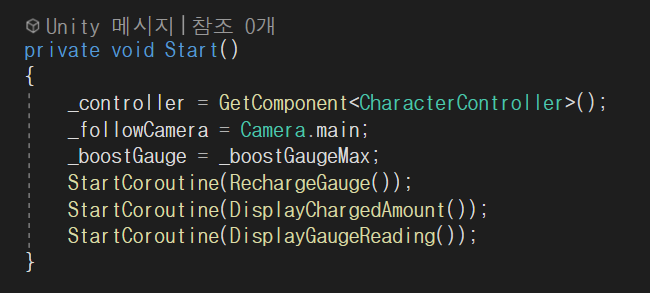
움직일 비행체의 charactercontroller 가져오기.
3인칭 시점에서 진행될 예정이므로 camera가 비행체 뒤에서 따라올 수 있도록 함.
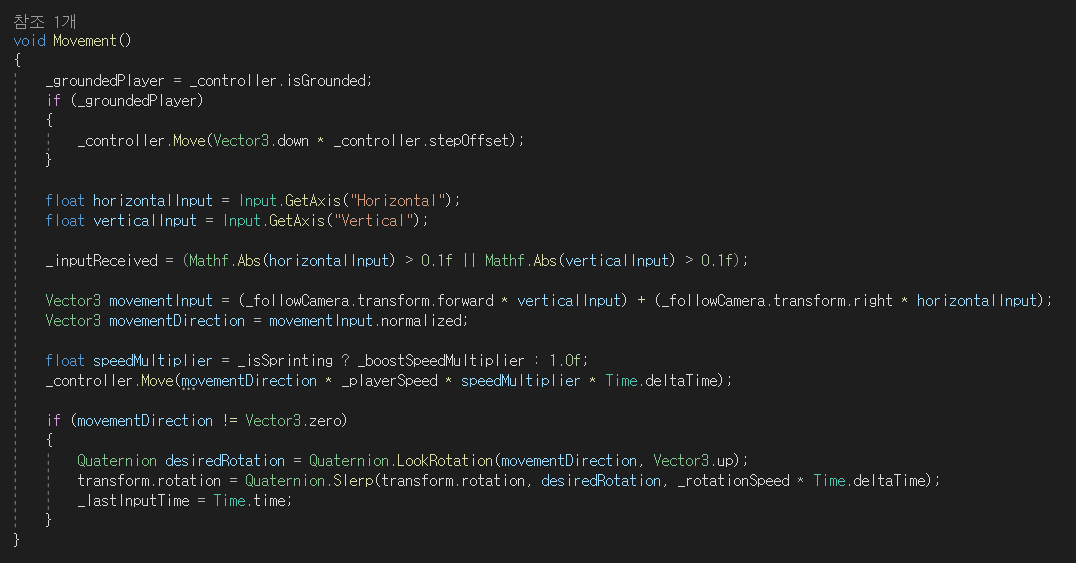
* player (비행체)는 키보드로 움직이고 카메라는 마우스로 움직인다. player와 카메라 따로 보기!!
입력값을 받아오고(GetAxis) player의 움직임 구현
Camera가 뒤에서 따라오는 형태!
캐릭터의 움직임을 프레임당 계산 (movementDirection)
카메라 및 player의 회전은 quaternion으로 처리